
UTM Stats Dashboard
Check the click statistics for your trackable short links.
📊 Check Your Link Stats
Enter your short code (e.g. a1b2c3) or paste your short link to see how many clicks you've received.
💡 How to Check Your Stats
This dashboard allows you to view the performance of the short links you generated with our UTM Builder.
- Enter the 6-character short code (e.g.,
a1b2c3) or paste the full short link you received. - Click the "Check Stats" button.
- You will see the destination URL and the total number of clicks it has received.
Understanding the Results: A "Click" is recorded every time someone opens your short link. This gives you a quick, lightweight way to measure engagement without needing a heavy analytics suite.
❓ Frequently Asked Questions
When you generate a short link (e.g., https://sitetoolsbox.com/r.php?c=b1d1f0), the "b1d1f0" part at the end is your short code. You can just paste the whole link into the search box, and we will extract the code automatically.
Yes. As soon as a user clicks your short link, the click count in our database is updated instantly.
Absolutely. Just enter different short codes in the dashboard to check the stats for each specific campaign.
About
Here is a preview of the tool's interface:
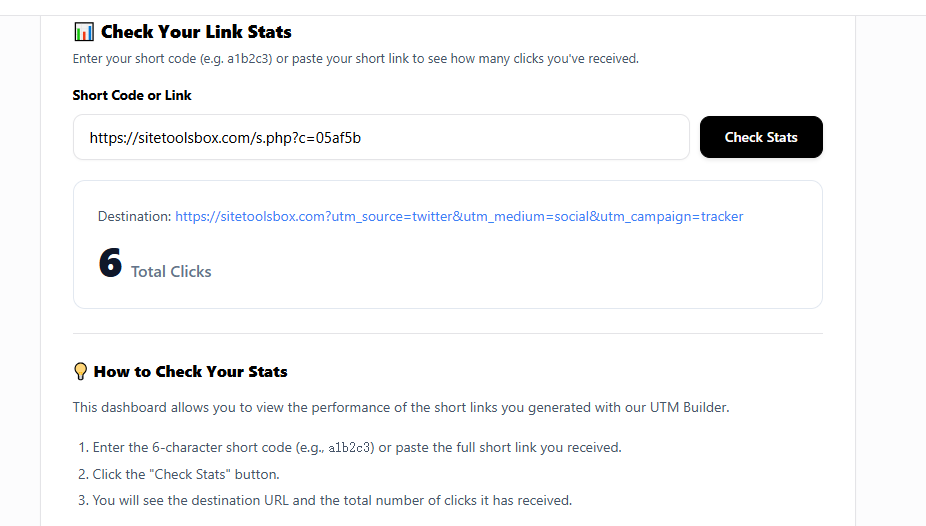
As you can see above, the interface is clean and intuitive...